Description:
PowerPoint happens to be the most popular presentation software used in the world today. Its adaptation is wide and universal. You can use this software for so many different reasons: at work, in school and for personal projects. The Microsoft Office 2016 PowerPoint Complete Video Course – Beginner to Advanced is designed to teach you everything you need about PowerPoint 2016. It will give you a basic to advanced knowledge. You will learn how to create amazing slides, how to use animations and transitions, how to insert videos and pictures in your presentation, how to use action buttons, and how to create a perfect PowerPoint presentation. Finally, you can apply what you have learned to real-life situations.
Who is this Course for?
Microsoft Office 2016 PowerPoint Complete Video Course – Beginner to Advanced is certified by CPD Qualifications Standards and CiQ. This makes it perfect for anyone trying to learn potential professional skills.
As no experience or qualification is required for this course, it is available for all students from any academic background.
Certification
Once you finish the course, you can get a certificate to show your success. The PDF version costs just £3.99, while a printed one is £7.99. If you’d like both, it’s £10. For students outside the UK, there’s an extra £10 for delivery.
Requirements
- This course is available to all learners of all academic backgrounds.
- Learners should be aged 16 or over to undertake the course.
- A strong grasp of English, numeracy, and ICT is necessary for enrollment in this course.
Career Path
After completing this course, you can build up accurate knowledge and skills with proper confidence to enrich yourself and brighten up your career in the relevant job market.
Course Curriculum
| Microsoft PowerPoint - Beginner | |||
| Navigate the PowerPoint Environment | FREE | 00:28:00 | |
| View and Navigate a Presentation | 00:15:00 | ||
| Create and Save a PowerPoint Presentation | 00:13:00 | ||
| Use PowerPoint Help | 00:10:00 | ||
| Select a Presentation Type | 00:08:00 | ||
| Edit Text | 00:13:00 | ||
| Build a Presentation | 00:27:00 | ||
| Format Characters | 00:11:00 | ||
| Format Paragraphs | 00:16:00 | ||
| Format Text Boxes | 00:09:00 | ||
| Insert Images | 00:10:00 | ||
| Insert Shapes | 00:15:00 | ||
| Edit Objects | 00:16:00 | ||
| Format Objects | 00:06:00 | ||
| Group Objects | 00:04:00 | ||
| Arrange Objects | 00:07:00 | ||
| Animate Objects | 00:07:00 | ||
| Create a Table | 00:09:00 | ||
| Format a Table | 00:03:00 | ||
| Insert a Table from Other Microsoft Office Applications | 00:06:00 | ||
| Create a Chart | 00:10:00 | ||
| Format a Chart | 00:10:00 | ||
| Insert a Chart from Microsoft Excel | 00:05:00 | ||
| Review Your Presentation | 00:11:00 | ||
| Apply Transitions | 00:05:00 | ||
| Print Your Presentation | 00:05:00 | ||
| Deliver Your Presentation | 00:08:00 | ||
| Microsoft PowerPoint - Advanced | |||
| Customize the User Interface | FREE | 00:18:00 | |
| Set PowerPoint 2016 Options | 00:07:00 | ||
| Modify Slide Masters and Slide Layouts | 00:16:00 | ||
| Add Headers and Footers | 00:05:00 | ||
| Modify the Notes Master and the Handout Master | 00:04:00 | ||
| Create SmartArt | 00:08:00 | ||
| Modify SmartArt | 00:05:00 | ||
| Write Math Equations | 00:07:00 | ||
| Add Audio to a Presentation | 00:09:00 | ||
| Add Video to a Presentation | 00:10:00 | ||
| Customize Animations and Transitions | 00:14:00 | ||
| Review a Presentation | 00:14:00 | ||
| Store and Share Presentations on the Web | 00:06:00 | ||
| Annotate a Presentation | 00:07:00 | ||
| Set Up a Slide Show | 00:08:00 | ||
| Create a Custom Slide Show | 00:03:00 | ||
| Add Hyperlinks and Action Buttons | 00:07:00 | ||
| Record a Presentation | 00:05:00 | ||
| Secure a Presentation | 00:10:00 | ||
| Broadcast a Slide Show | 00:07:00 | ||
| Create a Video or a CD | 00:08:00 | ||
Related Courses
Microsoft Word Complete Course - Beginners, Intermediate & Advanced
Original price was: £279.00.£24.00Current price is: £24.00.
MS OneNote Online
Original price was: £325.00.£19.99Current price is: £19.99.
Microsoft Teams Course
£315.00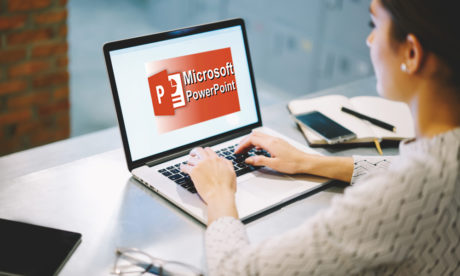
Microsoft Office 2016 PowerPoint for Beginners
Original price was: £325.00.£19.99Current price is: £19.99.
MS OneNote 2016 - Complete Course
Original price was: £279.00.£17.00Current price is: £17.00.
Administrator & Microsoft Office Specialist Training
Original price was: £449.00.£39.00Current price is: £39.00.

- Original price was: £325.00.£19.99Current price is: £19.99.
- 1 year
- Advanced, Beginner
- Course Certificate
- Number of Units48
- Number of Quizzes0
- 7 hours, 45 minutes